
Resume a failed download after a restart in Aynite Download Manager
A download shows Error, the connection dropped, or the PC restarted in the middle of a large file. Aynite Download Manager keeps what it already has and continues from there wherever the server allows it. Here is what happens on its own, what to do when it does not, and why some servers make a restart from zero unavoidable.
Updated 14 October 2026. Applies to Aynite Download Manager 1.7.0.
What ADM does on its own
- Every download is saved in pieces with a record of how far each piece got. Pausing, closing ADM or restarting the PC loses nothing; the download continues from the same place when you press Resume or when ADM starts the queue again.
- When a download fails because the network is down or the server is unreachable, ADM waits until the host answers again and resumes by itself (Options, Auto-resume; on by default).
- A download that was running when ADM installed an update continues after the restart.
Press Resume
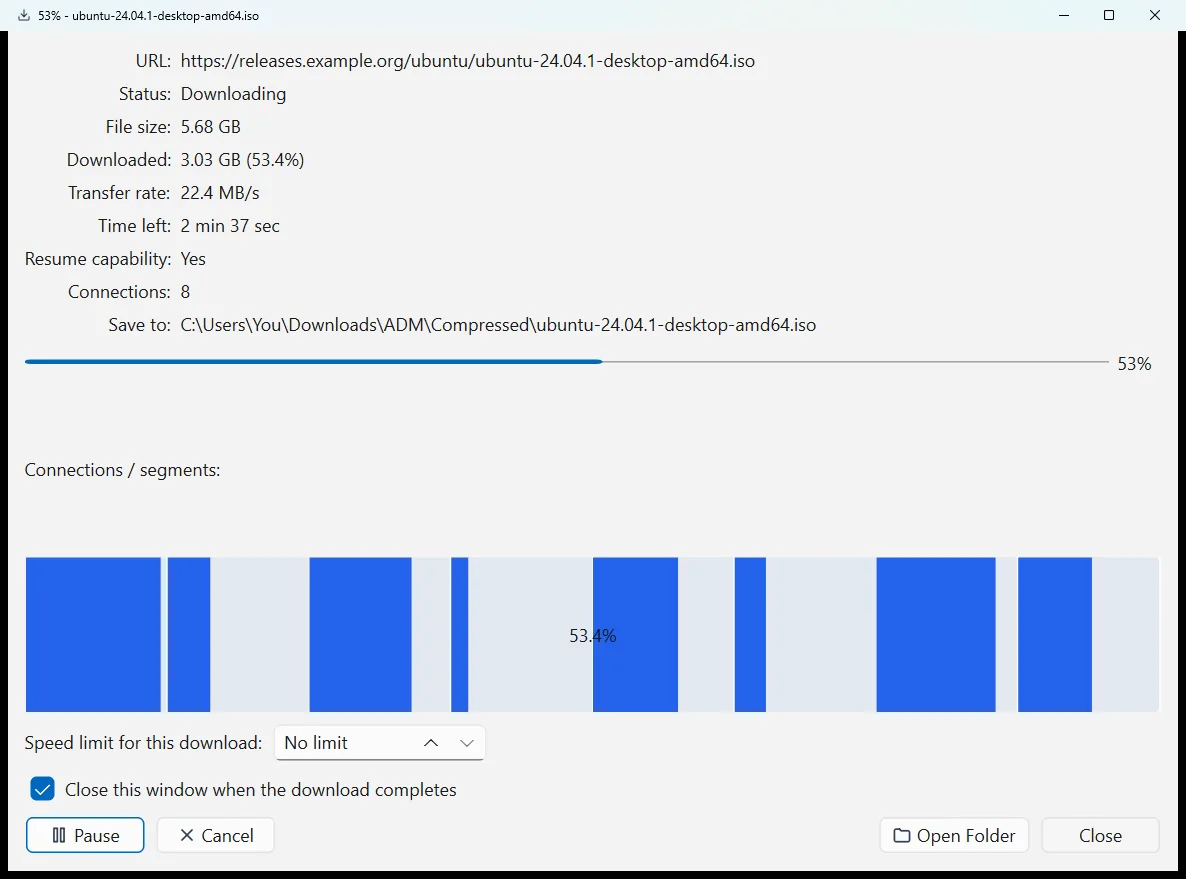
For a download that shows Error, select it and press Resume, or open its progress window and click Resume there. ADM asks the server for the missing parts only. If the error repeats, read the status column: it says what the server answered.
When the link has expired
Many sites hand out download addresses that work for an hour or a day. After that the server answers with an error such as 403 or 404, and no download manager can continue with the old address. Go back to the page, start the download again, and ADM fetches it anew. For videos, hover the player and click Download again; ADM reuses the pieces it already had where the site allows it.
When the server refuses to resume
Resuming needs the server to accept a request for a part of the file. Most do; some, especially older sites and some content delivery setups, do not, and then the only option is to start from the beginning. ADM shows this in the progress window: Resume capability says No. For such files, avoid pausing, and give the download the whole line with a speed limit on everything else.
Videos and live streams
Video downloads are fetched in segments and keep the finished ones, so a failed video resumes where it stopped. A live recording that broke off because of a dropped connection reconnects by itself for up to about twenty minutes and joins the parts; more on live recording.
Questions
Can a download manager resume after a PC restart?
Yes. ADM saves progress to disk as it goes; after a restart, Resume continues from the last saved point, provided the server allows resuming.
Why did a download restart from zero?
The server does not support resuming, or the link expired and the new address points at a file the server treats as new. The Add Download window shows Resume capability for each link.
Does ADM retry on its own?
Yes, five times for ordinary errors (Options, Retries), and indefinitely while the host is unreachable when Auto-resume is on.
I have a new link for the same file. Can I keep the downloaded part?
Add the new link; where the server reports the same file and accepts range requests, ADM continues. Otherwise it fetches the file anew.
Get ADM
One installer with everything included. Install it, add the browser add-on when asked, and every link you copy or every video you hover is ready to download.
For Windows 10 and 11, Ubuntu, Linux Mint, Debian and other Linux distributions
Verify this file
The Windows installer's fingerprint (SHA-256), for anyone who wants to check the download is untouched:
0b419e24880befe63ef221cf18ad3130dfcaac854884c6de5b13af85854922cb