
Set a speed limit for one download, or for all, in Aynite Download Manager
A big download with eight connections takes the whole line, and video calls and web pages crawl. Aynite Download Manager has two limits: one for a single download, set in its progress window, and one for everything, set in Options. Both take effect at once, without pausing anything.
Updated 14 October 2026. Applies to Aynite Download Manager 1.7.0.
Limit one download
Open the download's progress window (double-click it in the list) and set Speed limit for this download, in KB per second. Leave it at No limit to remove the cap. The other downloads are not affected; use this for the one file that is in the way.
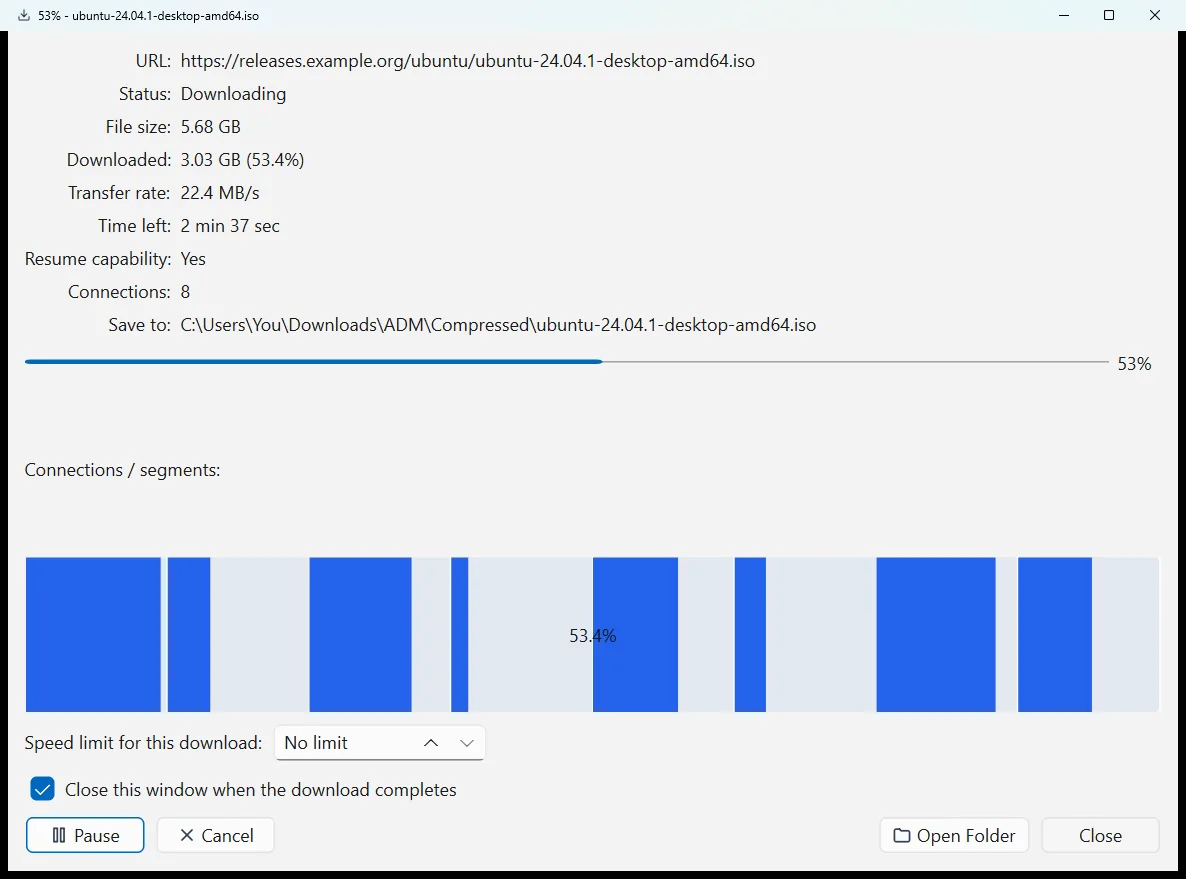
Limit all downloads
Options, then Speed limit (all downloads), in KB per second. ADM shares the limit across every download and torrent that is running. Set it to 0 for no limit.
Which to use
- Working during the day with a queue running: a limit on everything, for example 2000 KB/s on a 50 Mbit/s line, keeps the rest of the house happy.
- One torrent taking all the upload and download: a limit on that download alone.
- At night: no limits, and let the scheduler run the queue while you sleep.
- Fewer connections per file (Options) is another way to leave room; it also helps with servers that refuse many connections at once.
Questions
Do limits apply to torrents?
Yes, both kinds. A per-download limit on a torrent caps that torrent; the overall limit includes torrents.
Does a limit survive a restart?
The overall limit is a setting and stays. A per-download limit stays with that download in your list.
Why is my download slower than the limit?
The server or the swarm is the bottleneck, not the limit. The progress window shows the speed of each connection.
Is there a limit on upload for torrents?
Not separately; the overall limit covers the traffic ADM generates. Sharing stops when the download finishes unless you set a seeding time in Options.
Get ADM
One installer with everything included. Install it, add the browser add-on when asked, and every link you copy or every video you hover is ready to download.
For Windows 10 and 11, Ubuntu, Linux Mint, Debian and other Linux distributions
Verify this file
The Windows installer's fingerprint (SHA-256), for anyone who wants to check the download is untouched:
0b419e24880befe63ef221cf18ad3130dfcaac854884c6de5b13af85854922cb